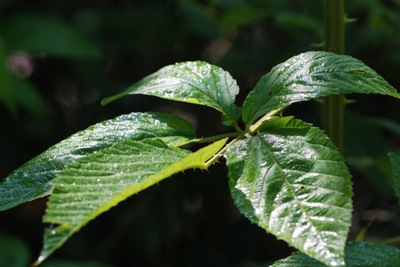
But here, for your viewing pleasure, my little moth: As it was on the wall.

And here, many hours later, as “Moth Balls”:

.:.

 In looking through several albums of photos that are considered good either by their creators or others, it was easy for me to see that great photos are strongly oriented on their subject, have no extraneous details, that there is a strong visual design, snappy, often exaggerated, colors, and a simple but supportive
  background. The background sets off but supports the subject.
  No sooner said than done.
  Which, in your opinion, works best?
 Can you think of some other background that would work better?
 |  |  |
%20(1024x682).jpg?psid=1) Kodachrome ushered in the era of the slide show.
Kodachrome ushered in the era of the slide show.

| | |
We had some tree work done and I decided to do “the story”. A picture story, like any other, should have an introduction, the main part and an ending. With photos there are some additional considerations. 
Picking the right image to illustrate the story needs care. It is not only the first picture the reader sees, unless it is captivating, it might be the only one. This picture should tell a good part, if not all of the story. It also will be introducing the story in places like Facebook. So it needs to work even when reduced to a 50 by 50 pixel square icon.
Consider the layout and presentation. In a blog like this one, 
Now the reader is into the story.
This particular story lends itself to being told in sequential order.


Even picture stories need and end. 
These are my thoughts on photo essays. You can see my picture story over in Gallery Ludwig – it has its own page “Arborists at work”.
| | |
© 2011 Ludwig Keck
.:.
Just a reminder to my readers that the gallery page has been modified and a new page added. The “Gallery – Visiting Artists” may seem a familiar “static” page, but the links lead to very dynamic galleries. These are frequently updated and well worth repeat visits.
The page “Ludwig’s Galleries” is just getting underway with more additions to come.
Also extensively reworked and expanded is Gallery Ludwig – my showplace of images – little chatter, lots of pictures.
Enjoy the images!
Over in the Photo-Focus group the theme for May 2011 is simply “green”. Each month the group sets a theme on which members can contribute two photos on the group’s photo sharing site.
Setting a theme, whether by a group, or just on a personal basis, has the effect of stimulating thinking and seeing. Sometimes we grow stale in our hobby of photography. Having a little challenge helps us to strive and to work a bit harder.
On a morning walk through our favorite local park, I tried to see “green”. Not at all hard, now that spring is about to turn into summer here in the South. In fact, there was very little that was not green. The challenge was to see things that would be enjoyable, even meaningful, to another viewer.
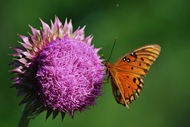
So did I limit myself to green subjects? Of course not. One should never pass up a pleasant view in a quest for something specific. There were plenty of pretty flowers, a butterfly on a thistle, a passing hawk, my favorite rock in good light. In all, I came how with 55 exposures, not a bad haul for a short stroll. That should yield a handful that I can share.
My routine for importing to the computer is to first use Windows Live Photo Gallery for the transfer process. This allows assigning tags to groups of photos. Next I add some additional meta data, rename all the photos and then move the folders to my “photo store” drive. Only then do I open Photo Gallery and have a look. Some quick post-processing to bring out the best, then resizing before uploading to my photo sharing sites.
You can see some of my photos here. Click the images for a larger view.
 |  |  |
 |  |  |
Enjoy!
| | |
© 2011 Ludwig Keck
.:.
It all started as a long awaited get-together in Savannah, Georgia, Tom and I have been friends since our college days but don’t get to visit very often, as we live on opposite ends of the country. We had a great time seeing and photographing the sights. When we compared some of our pictures, our different ways of seeing and capturing the world became strikingly apparent. We decided on a joint blog to share some of our photos side-by-side so others could enjoy the diverse approaches possible in photography.
With three time zones and over 2500 miles between us, working on a joint post is a challenge. Windows Live Writer to the rescue!
We use WordPress, but it works just the same with Blogger or other blogging services. One of us starts a post in Live Writer, then uploads it as a draft.
The draft can be easily accessed by the other partner. The process is just a few clicks: Click the “blue tab”, as the pointer is moved down to “Open recent post” the list of published posts is displayed. But instead of clicking on a post, clicking on Open 
The “Open” dialog shows the folders of drafts and recent posts. It also lists the blog accounts that are installed.
Clicking on the blog name causes Live Writer to connect to the blog site and to download the titles of the posts – or the pages if you are using WordPress.
Clicking on the post title selects it and then OK starts Live Writer to download the post. This way you always have the most current material. A really nice Live Writer feature.
Now I can see exactly what my partner has proposed in text, pictures, and layout. I can just add my additions, or change what is already there. I can upload it again as a draft. Once we are agreed on the post it is just a matter of publishing in the normal way by clicking Publish.
“Shared blogging” using Live Writer in a slightly unusual way is easy, quick, and fun to do.
Click on the image above to see the blog “Two Cameras – Two Views”.
The gateway to my blogs and galleries is Café Ludwig
.:.
© 2011 Ludwig Keck